Headless CMS: what it is and when it makes sense
What a headless CMS is, how it compares with a traditional CMS and a static site, its real benefits and trade-offs, and a checklist to choose the right one.
 By Anass Chabbab · · 7 min read

Your website needs a rebuild, or a mobile app is on the way, and someone in the meeting says the word “headless”. The agency recommends it, the developers like it, and marketing wants to know one thing: will we still be able to edit our own pages? A headless CMS can be an excellent choice, or an expensive detour. It depends on what you publish, where, and who maintains it.
Here we explain what a headless CMS is, compare it with a traditional CMS and a static site, weigh its benefits against its costs, and give you a checklist for your next project meeting.
What is a headless CMS?
A CMS (content management system) is the tool your team uses to write and update content: pages, articles, product sheets, team profiles. A traditional CMS such as WordPress or Drupal does two jobs at once. It stores the content, and it also builds the pages your visitors see, using a theme. The back office and the website are one system.
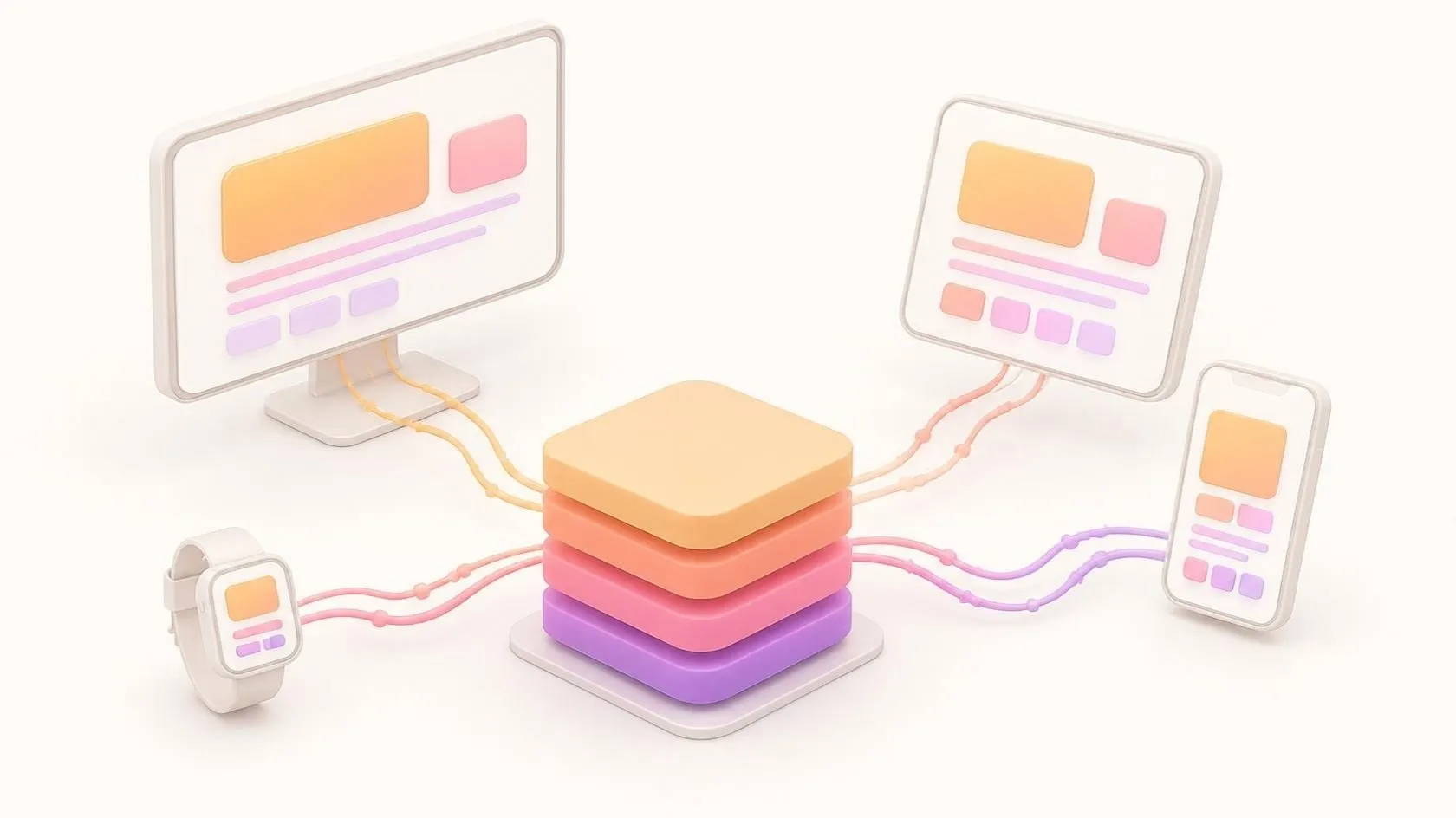
A headless CMS keeps only the first job. It stores and organises the content, then hands it over through an API (application programming interface), a standard way for programs to talk to each other. The “head”, the part that displays the content, is built separately: a website, a mobile app, a customer portal. Each asks the CMS for what it needs and displays it in its own way.
Some headless products, named only as examples, as of October 2026: Strapi, Directus, Contentful and Sanity. WordPress itself can also be used headless through its REST API.
Headless vs traditional CMS vs static site
There is a third option that often gets forgotten in this debate: the static site. A static site generator such as Astro, Hugo or Eleventy turns content files (often Markdown, a simple text format) into ready-made HTML pages once, at build time. There is no database and no server-side code to run when a visitor arrives.
This very website is built that way: a static site built from Markdown files, with no CMS. It suits us because our writers are comfortable with text files, and the content changes a few times a week, not every minute.
| Traditional CMS | Headless CMS | Static site | |
|---|---|---|---|
| Who edits | Marketing, in a visual editor | Marketing, in forms and fields | Someone comfortable with text files, unless a CMS is added |
| Page preview | Built in | Must be set up by developers | Local preview or a test site |
| Content reused in an app | Possible, but not what it was built for | Yes, that is its purpose | Limited |
| Parts to run and update | One system, plus plugins | CMS, front end, hosting for each | A build step and simple file hosting |
| Attack surface | Larger: admin pages and plugins on the public site | Smaller on the public side, but the CMS and API must be secured | Small: no database behind the pages |
| Best fit | A content-rich site run by a marketing team | The same content on several channels | A site that changes occasionally |
These options can also be combined. A frequent pattern is a headless CMS for the editors, with a static site generator that rebuilds the pages each time someone publishes.
What a headless CMS does well
Content written once, used everywhere
This is the strongest reason. If your product descriptions or help articles must appear on the website, in a mobile app and in a customer portal, a headless CMS lets your team update them in one place. Without it, the same text is copied into three systems and drifts apart. If you are still deciding between a website and an app, our guide on choosing between a web and a mobile app helps frame that first.
Structured content
A headless CMS pushes you to describe content as fields rather than free-form pages: a product has a name, a price label, a summary and images. That structure is what makes reuse possible, and it also helps with translations. For a site in several languages, structured fields make it easier to keep each version complete; we cover the search side in our article on multilingual website SEO.
A smaller public attack surface
With a traditional CMS, the admin pages and every plugin sit on the same server as your public site. With a headless set-up, the public pages can be served without any login page or plugin behind them, and the CMS can sit on a separate address. That does not make the project secure by itself: the API, the accounts and the hosting still need the care we describe in our article on web application security.
Speed comes from the build
Pages can be pre-built and served from a CDN (content delivery network). Speed then depends on how that front end is built and hosted, not on the word “headless”: a well-built WordPress site can be fast, and a careless headless site can be slow. Most of the weight comes from images, fonts and scripts, which our guide to lighter websites and apps shows how to trim. Accessibility follows the same rule: with headless, the front end is your own code, so keyboard use, clear headings and labelled fields are part of the build, as we explain in our article on building in web accessibility (WCAG).
The trade-offs nobody puts on the brochure
Editing feels different
Editors fill in fields rather than arranging a page visually. If your marketing team builds landing pages on its own every week, losing a visual page builder is a real cost. Ask to see the editing screens before deciding, not only the finished site.
Previews must be built
In a traditional CMS, “Preview” just works. With headless, someone must connect the CMS to the front end so editors see the page before it goes live. Most headless products support this, but it is development work, and it must be maintained.
More parts to run
You now have at least two systems: the CMS and the front end, each with its own hosting, updates, accounts and backups. Someone has to own all of this after launch. And a new homepage section or content type often needs a developer, because the display is code, not a theme setting.
When it is not worth it
If you have one website, a small team and no app in sight, a well-maintained traditional CMS is often the simpler and cheaper answer. Headless solves the problem of several channels; without that problem, you mostly inherit its complexity.
Decision checklist: is a headless CMS right for you?
Answer these questions with your marketing and IT (information technology) leads. The more “yes” answers in the first group, the stronger the case for headless; the more in the second group, the more a traditional CMS or a static site makes sense.
Points in favour of headless:
- The same content must appear in at least two places (website, app, portal, in-store screen).
- Your content has a clear structure: products, locations, articles, team members.
- You have a developer or a provider available after launch, not only for the build.
- You want the public site separated from the editing tool for security reasons.
Points in favour of a traditional CMS or a static site:
- You have one website and no other channel planned in the next two years.
- Your marketing team builds and rearranges pages on its own, often.
- The content changes rarely, and the editors are comfortable with text files (static site).
- Your current WordPress site works, and the problem is its upkeep rather than its design.
Before you sign, ask your provider:
- How will editors preview a page before publishing?
- Who updates the CMS, the front end and the hosting, and how often?
- How do we export our content if we leave this CMS one day?
Frequently asked questions
Is a headless CMS a good WordPress alternative?
It can be, when you need the same content on several channels or want the public site separated from the editing tool. For a single marketing site, it is not automatically better: you trade WordPress’s visual editing and plugins for more freedom and more development work. WordPress can also run headless, so the choice is not all or nothing.
Is a headless CMS better for SEO?
Not by itself. For SEO (search engine optimisation), what search engines see are the pages your front end produces, not the CMS behind them. What matters is that pages are rendered as proper HTML, load quickly, have clean titles and descriptions, and are well linked. A headless site can do all of that very well, and so can a traditional CMS. A headless site that only displays content after JavaScript runs can make indexing harder, so ask how pages are rendered.
Do I need a developer to use a headless CMS?
Not to write and publish: once set up, editors work in forms in their browser. You do need developers to build the front end, set up previews, add new types of content and keep both parts up to date, where a traditional CMS covers much of this with a theme and plugins.
In short
A headless CMS stores your content and hands it to any front end through an API, a strong choice when the same content feeds a website, an app and other channels. Its costs are real: a different editing experience, previews to build, and two systems to run. For a single site, a traditional CMS or a static site is often simpler, so start from your channels, not from the technology.
We design and build websites and the systems behind them, headless or not, as part of our web development work. Planning a new site or an app that shares its content? Book a free 30-minute discovery call: we look at your channels and your team, and tell you which option is the simplest that will do the job.
Related servicesWebsites and web apps
Let’s talk about it on a 30-minute discovery call, free and with no obligation.
Get our next articles in your feed: follow AnazTech on LinkedIn.Follow on LinkedIn